> ## Documentation Index
> Fetch the complete documentation index at: https://docs.glowstudio.ai/llms.txt
> Use this file to discover all available pages before exploring further.
# Overview
> What is the knowledgebase and how does it work?
#
## What is a Knowledge Base?
A Knowledge Base is a repository of information that your AI agents use to retrieve accurate and relevant responses to user queries. This repository can include documents, FAQs, manuals, and other structured data. The system utilizes retrieval augmented generation (RAG), which extracts information from a vector database. Want to learn more? Check this article: [Here](https://medium.com/@sahin.samia/what-is-retrieval-augmented-generation-rag-in-llm-and-how-it-works-a8c79e35a172)
RAG significantly improves the accuracy of AI responses.
By leveraging a knowledge base, RAG allows AI models to access up-to-date, domain-specific information. This reduces hallucinations (made-up information) and ensures responses are grounded in factual data. For businesses, this means more reliable customer interactions and reduced risk of misinformation.
Knowledge bases offer tailored, organization-specific information.
Unlike general AI models, a knowledge base can be customized with your company's unique data, policies, and procedures. This allows our AI agents to provide responses that are perfectly aligned with your brand voice and specific business context, enhancing customer experience and reducing the need for human intervention in customer service.
#
## What is a RAG System?
RAG (Retrieval Augmented Generation) combines two powerful components that ensure your agents deliver highly accurate and contextually relevant responses:
Searches the Knowledge Base to find relevant information.
Uses the retrieved information to generate precise and contextually accurate responses using one of the LLMs available in Glowstudio.
 The process begins when a user submits a question or request.
The system searches the Knowledge Base for relevant information related to the query.
Retrieved information is used to augment the context provided to the LLM.
The LLM generates a response based on the augmented context and its training.
A contextually relevant and accurate answer is provided to the user.
By leveraging both stored knowledge and the generative capabilities of LLMs, RAG systems provide more accurate, up-to-date, and contextually appropriate responses compared to using LLMs alone.
#
The process begins when a user submits a question or request.
The system searches the Knowledge Base for relevant information related to the query.
Retrieved information is used to augment the context provided to the LLM.
The LLM generates a response based on the augmented context and its training.
A contextually relevant and accurate answer is provided to the user.
By leveraging both stored knowledge and the generative capabilities of LLMs, RAG systems provide more accurate, up-to-date, and contextually appropriate responses compared to using LLMs alone.
#
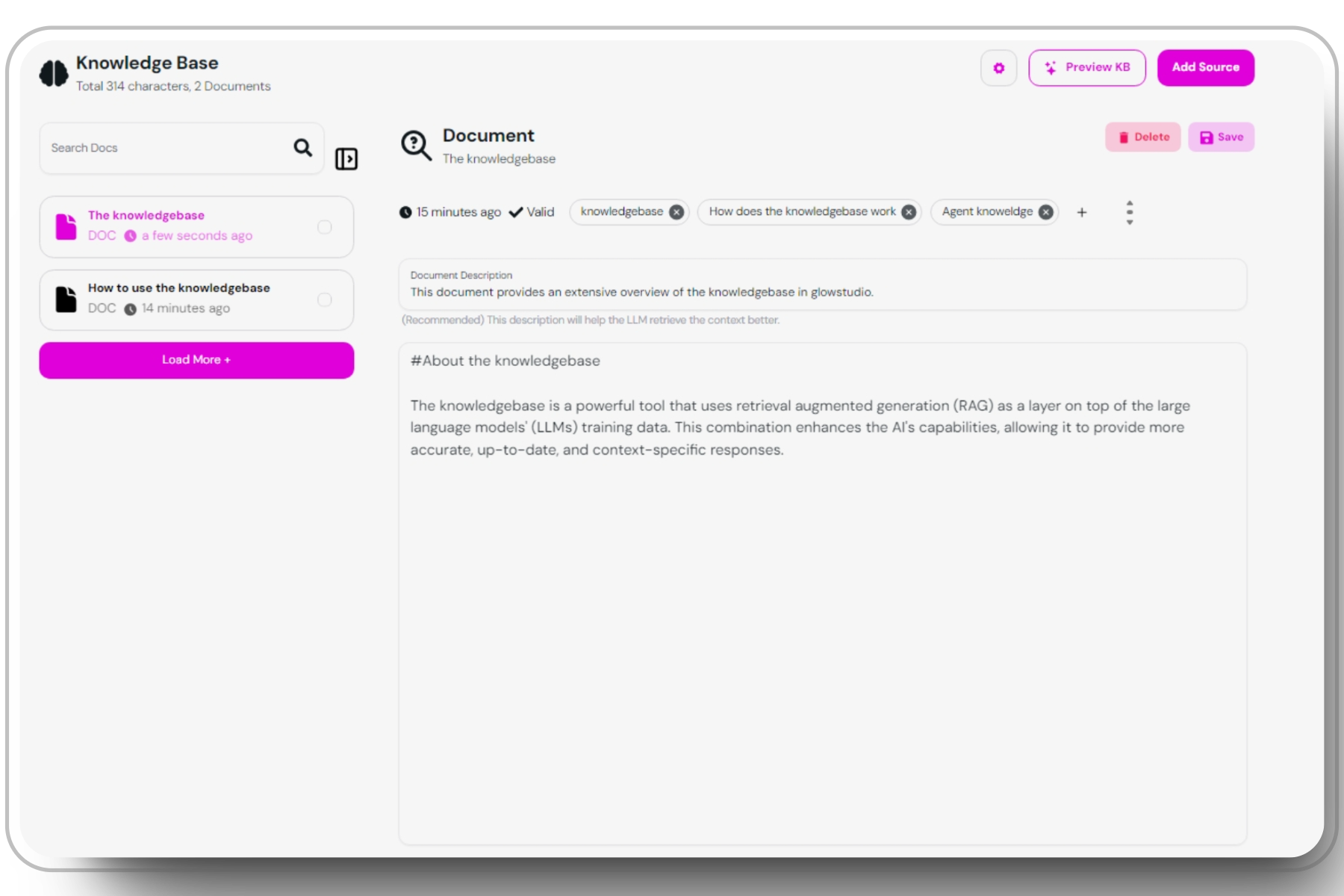 > The knoweldge base interface in glowstudio
### Explore related reading about how to set up your knowledgebase:
#
> The knoweldge base interface in glowstudio
### Explore related reading about how to set up your knowledgebase:
#